If your maintenance team uses spreadsheets, email threads or paper logs to track work, you already know the pain: lost requests, missed preventive maintenance, no asset history, and a manager who can never get a clear picture of what is happening. A CMMS fixes that — but what exactly is it, and do you really need one?
Here is the practical answer. For a product-focused overview, see Liquid CMMS for small maintenance teams.
Why maintenance work gets messy without a system
Small maintenance teams often start simple. A shared spreadsheet for work requests, a WhatsApp group for urgent fixes, some printed checklists for monthly inspections. It works — until it does not.
The typical breaking points:
- Work requests arrive by email, chat and hallway conversations. Some get done, some fall through the cracks.
- Preventive maintenance relies on someone remembering. When that person is out, PMs get skipped.
- Asset history is scattered across paper files, old emails and peoples memory.
- Spare parts are not tracked. Nobody knows what is in the storeroom or where it went.
- The manager spends Friday afternoon building a manual report that is already outdated.
This is exactly when teams start searching for a CMMS.
What a CMMS actually does
CMMS stands for Computerized Maintenance Management System. It is software that helps you plan, track and document maintenance work in one place.
The core functions are straightforward:
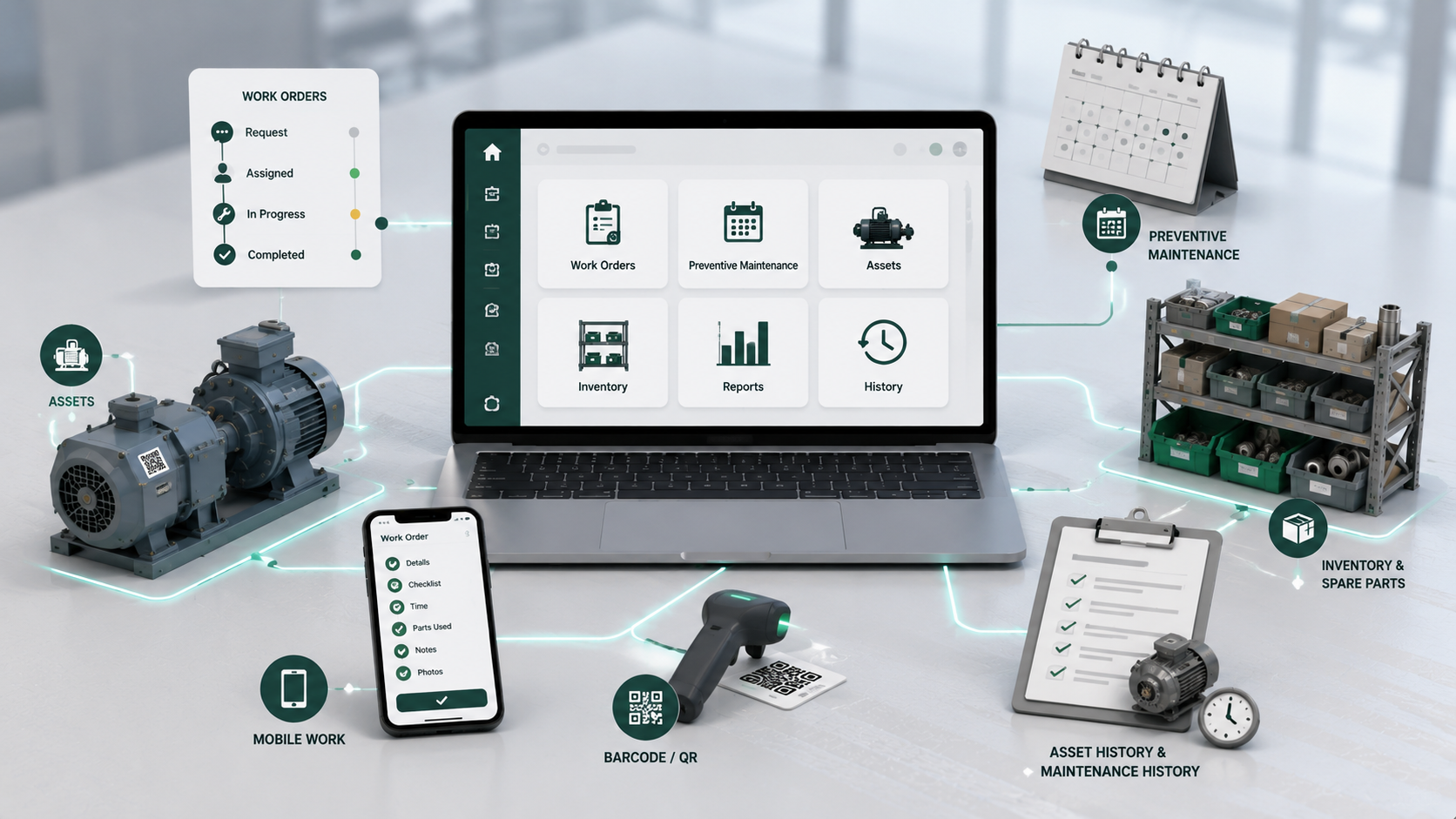
- Work orders. A request comes in, someone turns it into a work order, assigns it to a technician, the technician completes it and logs what happened. Every step is tracked with dates, notes and costs.
- Preventive maintenance. You set up recurring tasks — inspect the HVAC monthly, service the forklift every 200 hours — and the system generates work orders automatically when they are due.
- Asset history. Every piece of equipment gets a record. Over time, you see what breaks, how often, and what it costs to maintain.
- Inventory and spare parts. Track what is in the storeroom, issue parts against work orders, and know when to reorder.
That is the short version. A CMMS does not need to be complicated — and for small teams, it should not be.
The right approach for small teams
Enterprise CMMS platforms are built for large organizations with dedicated reliability engineers. They come with long implementations, training programs and monthly costs that do not make sense for a team of five.
For a small or mid-sized maintenance team, the right approach is:
- Start with work orders. This is the core workflow. If your team can create, assign and close work orders cleanly, the core workflow is already in place.
- Add preventive maintenance next. Automatic PM generation eliminates the did we service that compressor last month? conversations.
- Track assets progressively. You do not need a complete asset register on day one. Add equipment as you work on it.
- Keep inventory practical. Track the parts you actually use. No need to catalog every nut and bolt.
- Skip features you will not use. If you do not have a procurement department, you do not need purchase order integration. If you do not run a multi-site operation, you do not need that module yet.
How Liquid CMMS fits
Liquid CMMS is built for teams that want structured maintenance without the overhead of enterprise software.
- Work orders are the center of the system. Technicians can open requests, managers assign and prioritize, and everyone sees the status in real time. Each work order carries asset details, checklists, spare parts used and attachments — so nothing gets lost between request and completion.
- Preventive maintenance schedules are flexible. Set daily, weekly, monthly or meter-based triggers. When a PM is due, Liquid CMMS creates a work order automatically. No calendars to check, no reminders to chase.
- Asset history builds naturally. Every work order linked to an asset adds to its record. Over time, you see failure patterns, common repairs and total maintenance cost per piece of equipment.
- Inventory connects directly to work orders. Technicians issue spare parts from the storeroom while closing a work order. Stock levels stay current, and you always know which part went where.
- Barcode and QR workflows are built in. Scan an asset, location or part to pull up its record in seconds — no manual lookups, no typing serial numbers.
- And it works from the field, not just a desk. Technicians can use their phone or tablet to scan equipment, follow checklists, capture photos and close work orders without returning to the office.
Common mistakes when picking a CMMS
- Overbuying. A team of 8 does not need EAM features, full procurement modules or complex approval chains. You will pay for what you do not use.
- Underbuying. A tool that is just a shared to-do list is not a CMMS. You need asset tracking, PM scheduling and inventory — or you will outgrow it in months.
- Skipping the trial. Do not commit to a system without testing it on your real workflows. A 30-day trial with actual work orders tells you more than any demo.
- Ignoring mobile. If your technicians work away from a desk, the CMMS needs to work on a phone. Desktop-only tools create the same old problem: work gets logged after the fact, with less detail.
Quick checklist before you start
- Can technicians open and close work orders from a phone or tablet?
- Does the system generate preventive maintenance work orders automatically?
- Can you track asset history without manual data entry?
- Does inventory connect to work orders so parts consumption is automatic?
- Is the pricing predictable per user, without hidden fees?
- Can you start using it today, or is there a long onboarding process?
Final thought
A CMMS is not about software — it is about getting maintenance work done reliably, without chasing paper or digging through email threads. For small teams, the right system removes the overhead of manual tracking and gives you time to focus on actually fixing things.
Liquid CMMS was built for exactly this: structured maintenance for lean teams. You can start with work orders and add preventive maintenance, asset tracking and inventory as you grow. Start a 30-day free trial — no credit card, no implementation fee.